Product Updates

Follow new updates and improvements to ecosio.

Poland KSeF offline mode: when it matters and how to prepare
Poland’s KSeF follows a clearance-style model, which means invoicing operations depend on the availability of a government platform.

When KSeF is temporarily unavailable, an offline issuance approach can help you keep critical processes moving and avoid avoidable delays.

That’s why we’re introducing offline mode support in the Monitor for Poland.

What problem does this solve?

When KSeF is temporarily unavailable, you still need a controlled way to keep issuing invoices without creating chaos for finance teams, customers, and downstream processes.

Our offline mode flow is designed for time‑critical invoicing scenarios, such as:

  • end of month billing runs

  • high volume invoicing

  • industries where invoicing blocks shipping or service delivery

  • teams that need a predictable customer experience (even in disruption)

How it works

When KSeF is unavailable:

  1. You send invoice data to ecosio

  2. ecosio maps and validates the invoice as usual

  3. ecosio keeps the invoices in the Monitor and generates a PDF in offline mode that can be shared with the buyer

  4. The PDF contains two QR codes: one for the customer certificate and one for the invoice representation

  5. Once KSeF is available again, ecosio submits the pending invoices to KSeF (in batch), and KSeF assigns the KSeF number as part of the clearance process

Why this matters

Offline mode is a regulated contingency path (not a workaround) and it’s most valuable when invoice delays translate directly into operational or cash flow risk.

What you should prepare

Offline mode works best when it’s set up before you need it. In Poland, that preparation includes certificates.

Monitor’s Poland connector setup supports:

  • online authentication (token or certificate based), with certificates being the long term approach as KSeF moves forward

  • an optional offline certificate, which enables local signing during outages and helps avoid invoice delays when KSeF is down

If you operate in Poland and want to reduce disruption risk, offline mode is the safety net you’ll be glad you tested before the first outage.

Discover how ecosio simplifies global e‑invoicing compliance at ecosio.com or or get in touch with our experts today.

The ecosio Product team
Your questions answered, before you even ask

How good documentation helps ecosio customers get more value, faster.

In B2B communication, small details have big consequences. You manage multiple partners, formats, systems, and changing regulations, so documentation becomes the backbone for consistent execution.

When you adopt a new platform or when a new feature is rolled out, speed to clarity matters. You need to know what changed, why it matters, what to do next, and how to do it right the first time.

That’s why our documentation portal is part of ecosio’s service delivery. It helps you get answers fast, and helps your teams keep moving as requirements evolve.

What is our documentation portal?

Our documentation portal is ecosio’s expert-curated, customer-facing source of truth for product documentation and updates. It brings documentation, practical guidance, recipes, and a complete changelog into one place, so you can find what you need quickly, act with confidence, and keep momentum.

It covers four core areas:

  • Global e-invoicing compliance: country-specific implementation guidance from ecosio’s in-house experts, with links to our country pages for deeper regulatory context

  • Monitor: guides that help you track EDI traffic and manage connections with confidence

  • API and connectors: technical documentation to support ERP and partner integrations through the ecosio API

  • Recipes: best-practice, step-by-step guidance for common use cases and integration scenarios

The ecosio difference: why documentation is mission-critical for B2B communication

Some providers might automate e-invoicing, but then leave you to figure out the rest when requirements change. ecosio goes further.

Our teams actively monitor 200+ regulatory and market sources every day, and that expertise is distilled into actionable guidance and published in the portal, so you have clarity at the moment you need it.

As a living extension of ecosio’s expert service, the portal helps you:

  • Reduce implementation risk with clear, repeatable configuration and processes

  • Move faster with fewer tickets because teams can self-serve answers when they need them

  • Improve reliability over time as integrations scale across partners, formats, and internal stakeholders

  • Stay resilient through change when features, regulations, and business needs evolve

A living resource that grows with ecosio

The portal is designed to stay current. As ecosio’s products and country coverage expand, the documentation expands too.

This is your tool, so your feedback helps us improve and prioritise the right content.

To share feedback:

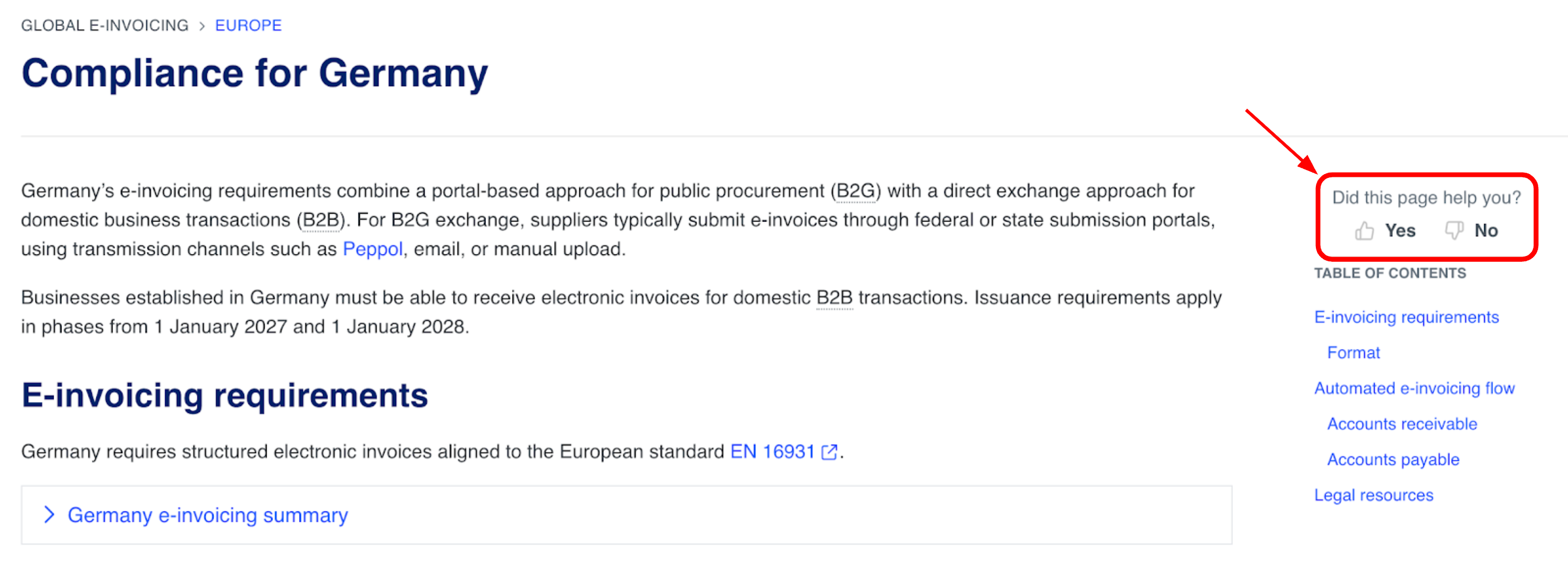
  • Use the buttons on the right-hand side of each page to let us know if the content was useful or not:

  • Or share feedback the usual way on Featurebase

Explore our documentation portal now!

The ecosio Product team

Stay on top of support and operations: latest Monitor updates

These Monitor updates help teams work through support and project tasks faster, spot new releases sooner, and handle key operational actions in a more self-service way.

Why this matters

When there are lots of tickets, conversations, and messaging tasks, a lot of time gets lost in the admin work. This update reduces the back and forth, so it is quicker to find what needs attention and move things forward.

What’s new

Faster support visibility

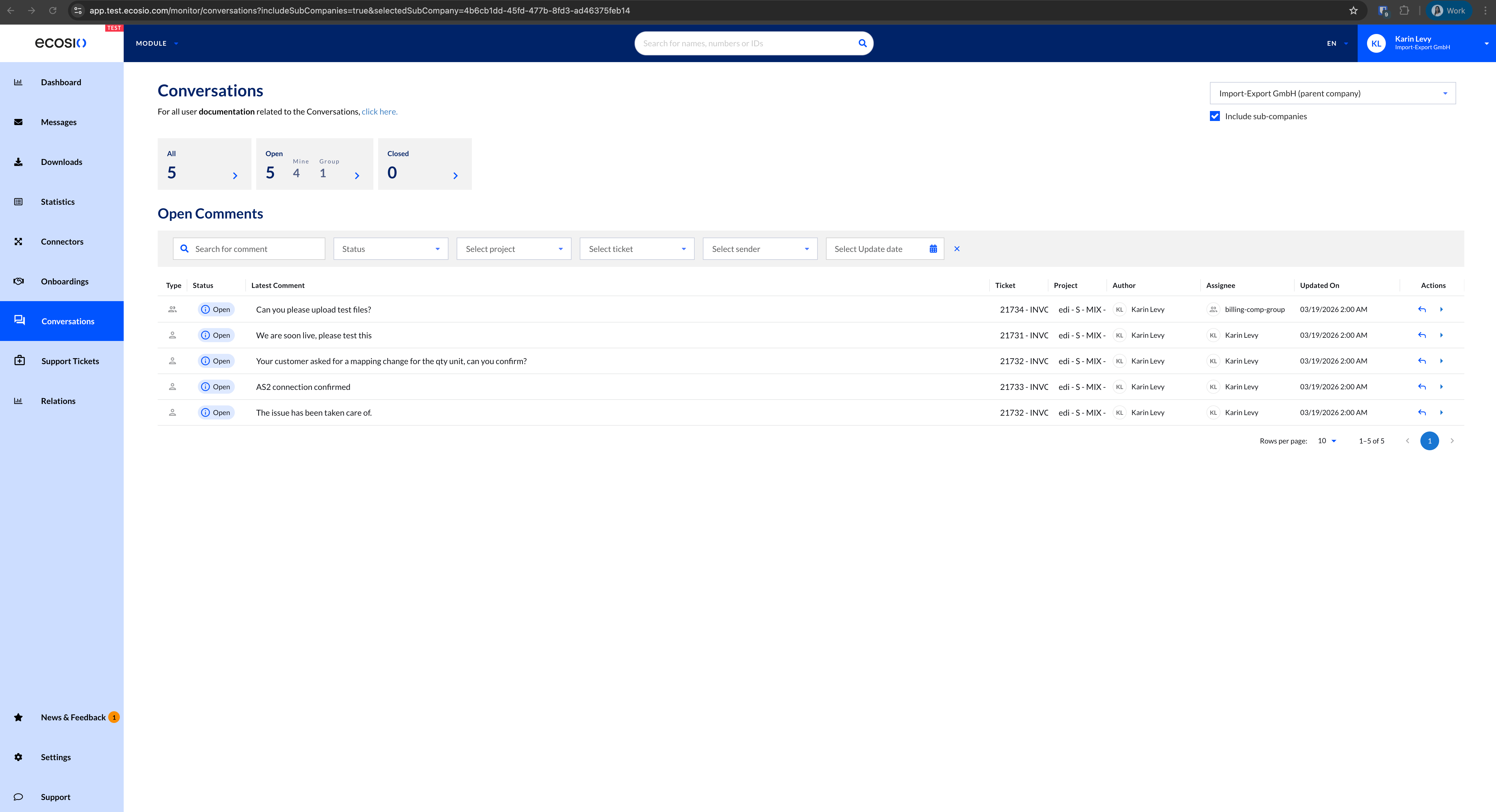
Conversations overview (new consolidated list)

A consolidated conversations list brings conversations across multiple tickets into one place, reducing the need to open each ticket to work through assigned items. The overview supports actions like replying, resolving, and taking over group-assigned items.

  • One list for items that need attention across tickets

  • Direct actions supported from the overview, including reply and resolve

  • Group work supported via take-over flow for shared assignments

Better release visibility

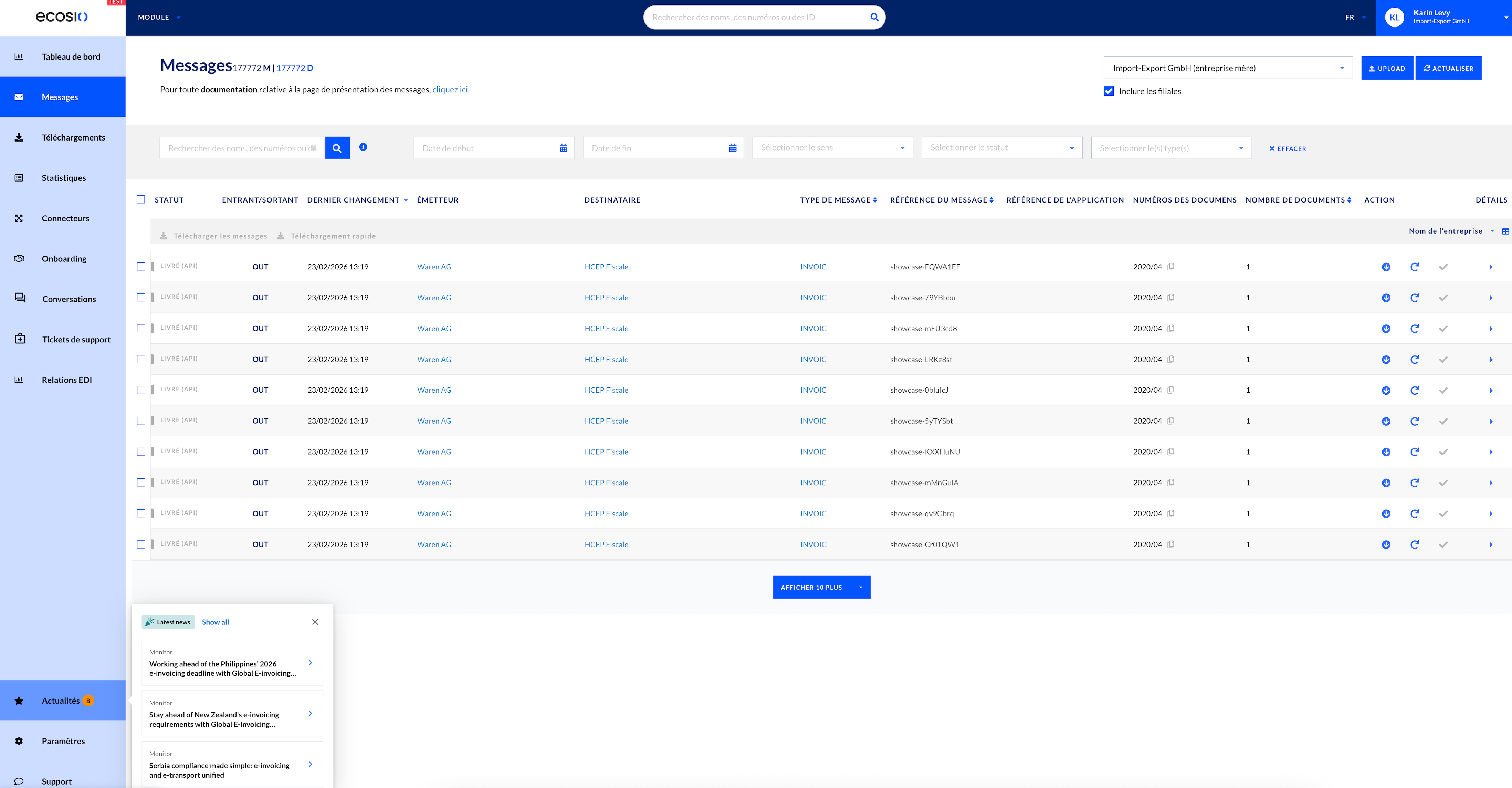
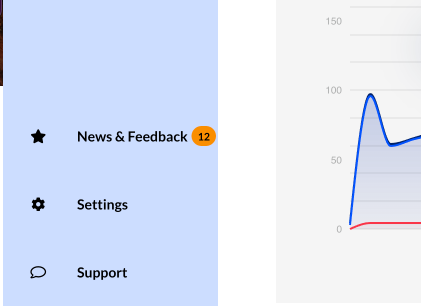
News and releases quick view dot

A badge next to News & Releases highlights unread updates, making new content easier to spot at a glance.

  • New updates become visible without repeatedly checking the section

  • Supports quicker discovery of newly shipped capabilities

Quick view

More self-service for messaging and partner operations

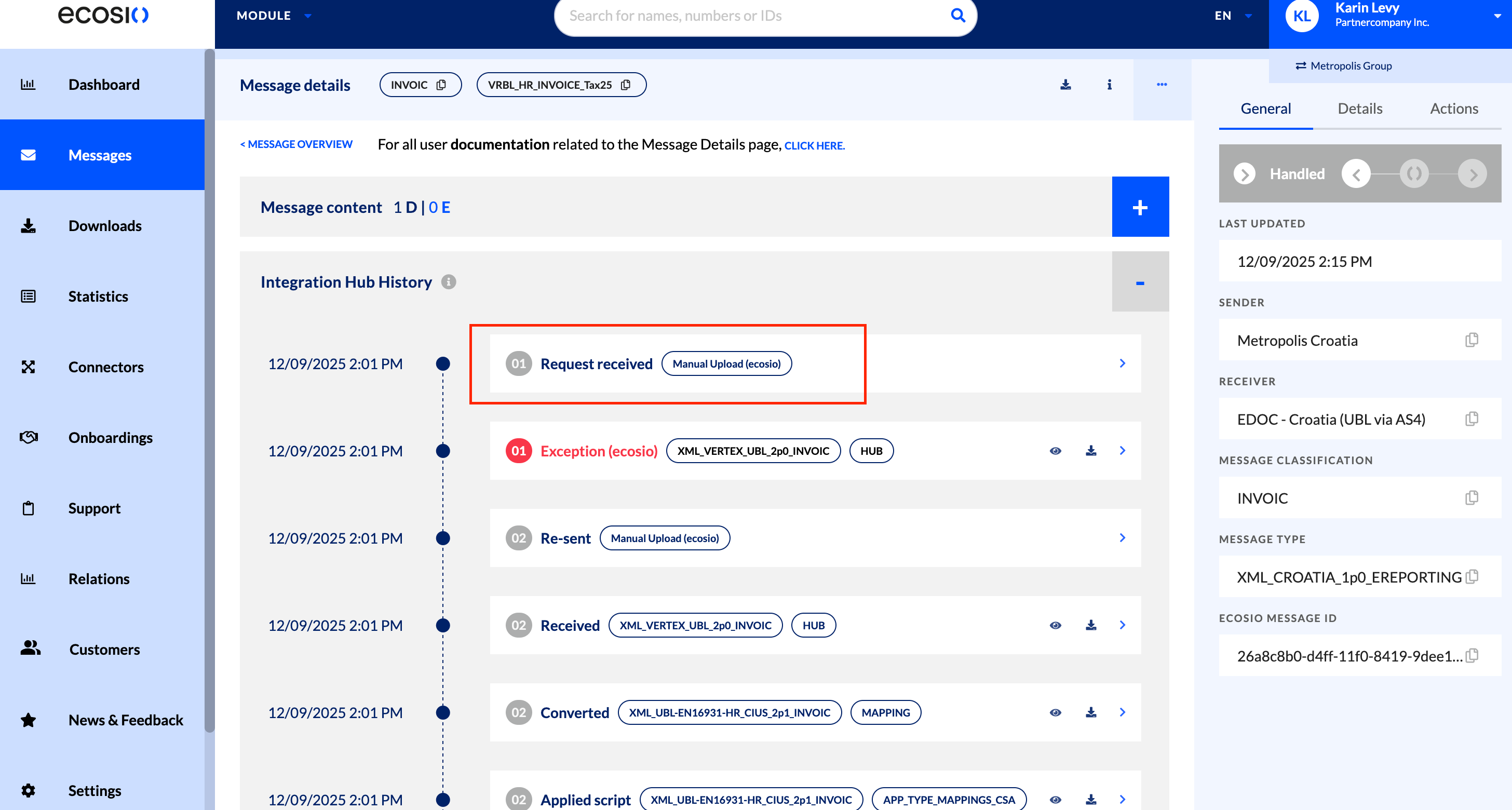
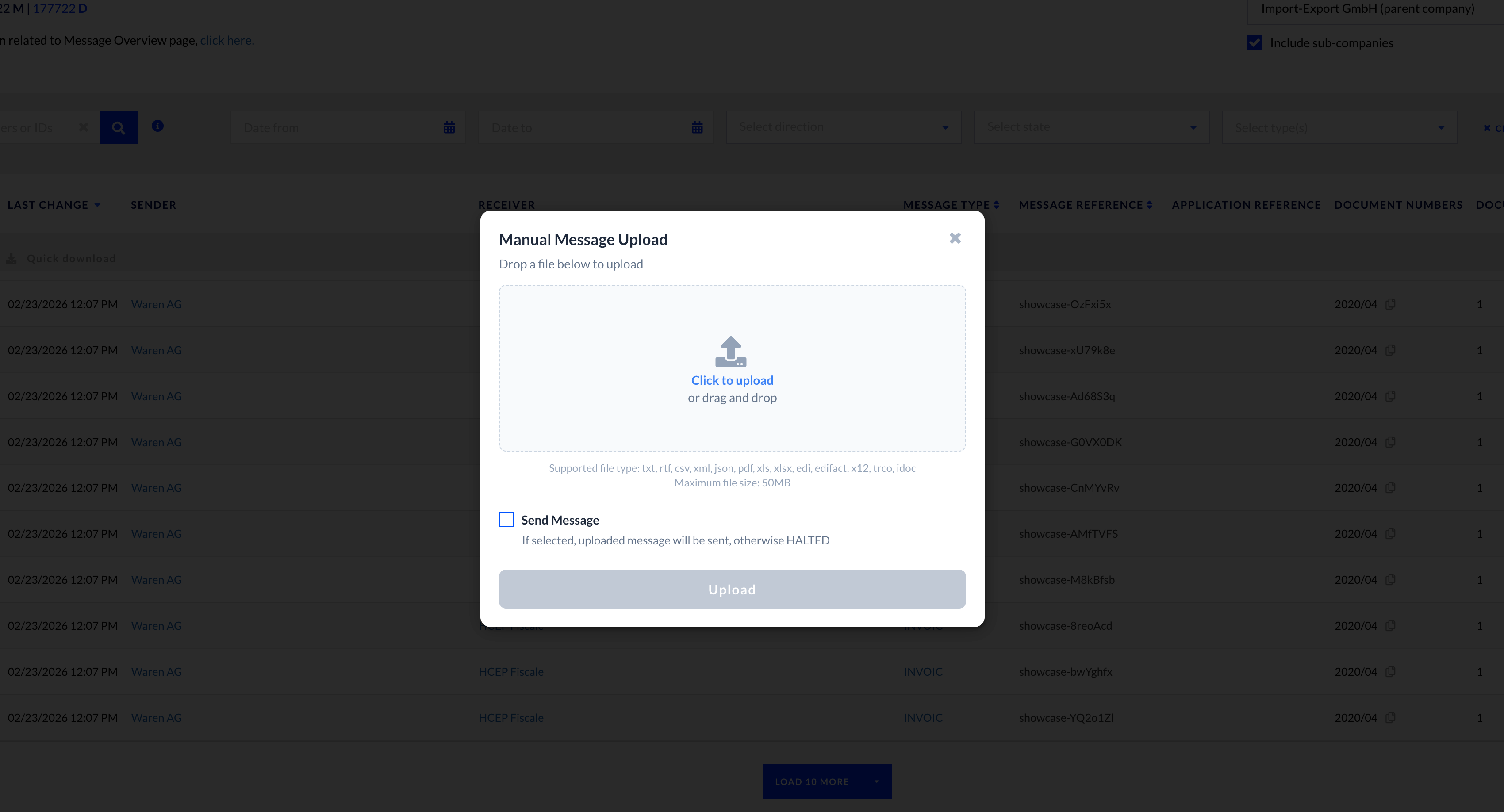
Manual message upload

Manual message upload is now available in Monitor to send a single message file to the ecosio Hub, either only for testing purposes, or directly sending to the receiver. Typical use cases include test files, retries after fixing exceptions, and quick corrections.

  • Faster testing workflows for technical teams

  • Quicker recovery when messages need manual fixes and a re-upload

  • Supports both testing and sending paths (based on selection)

Manual upload

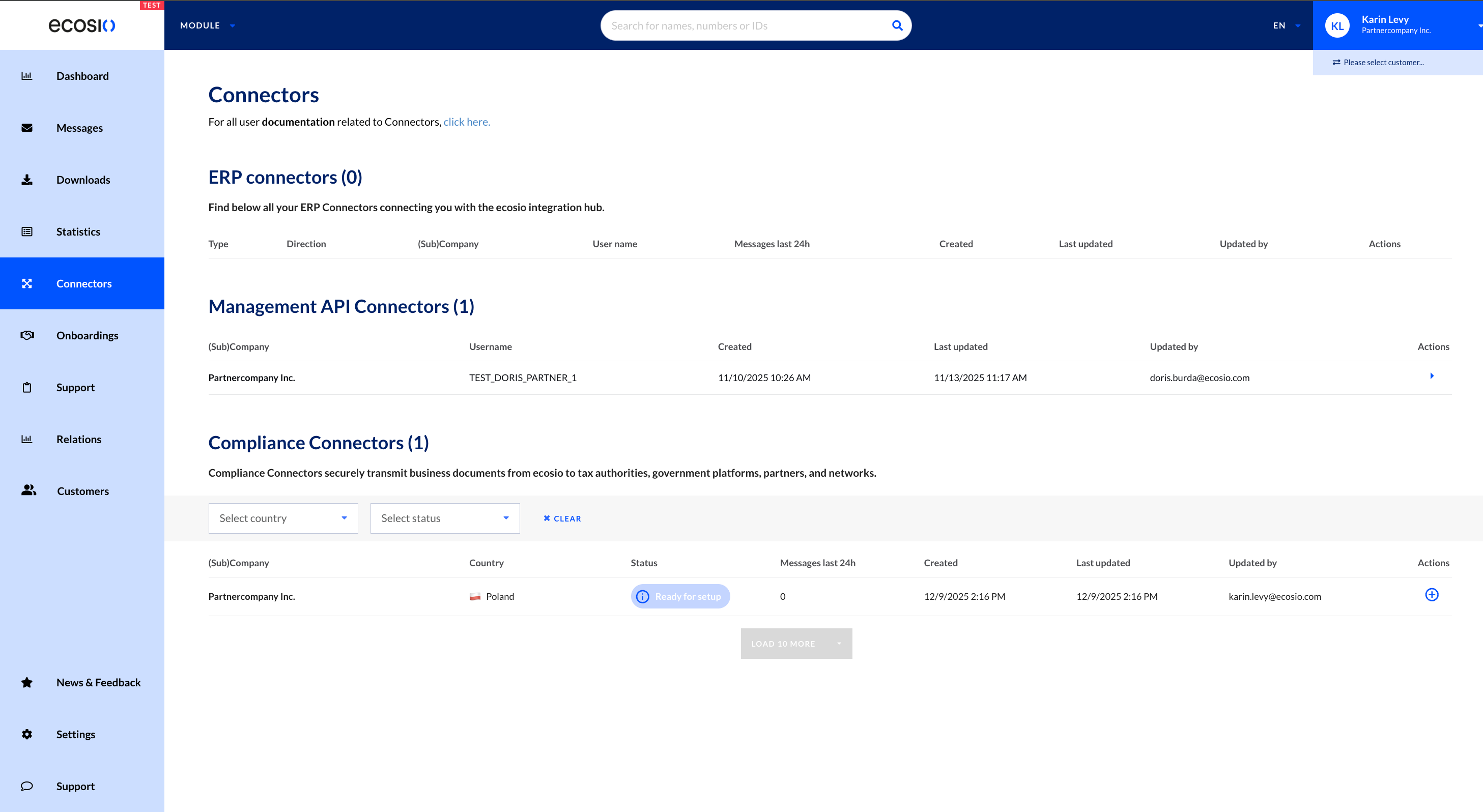
Management API self-service connector (for partners)

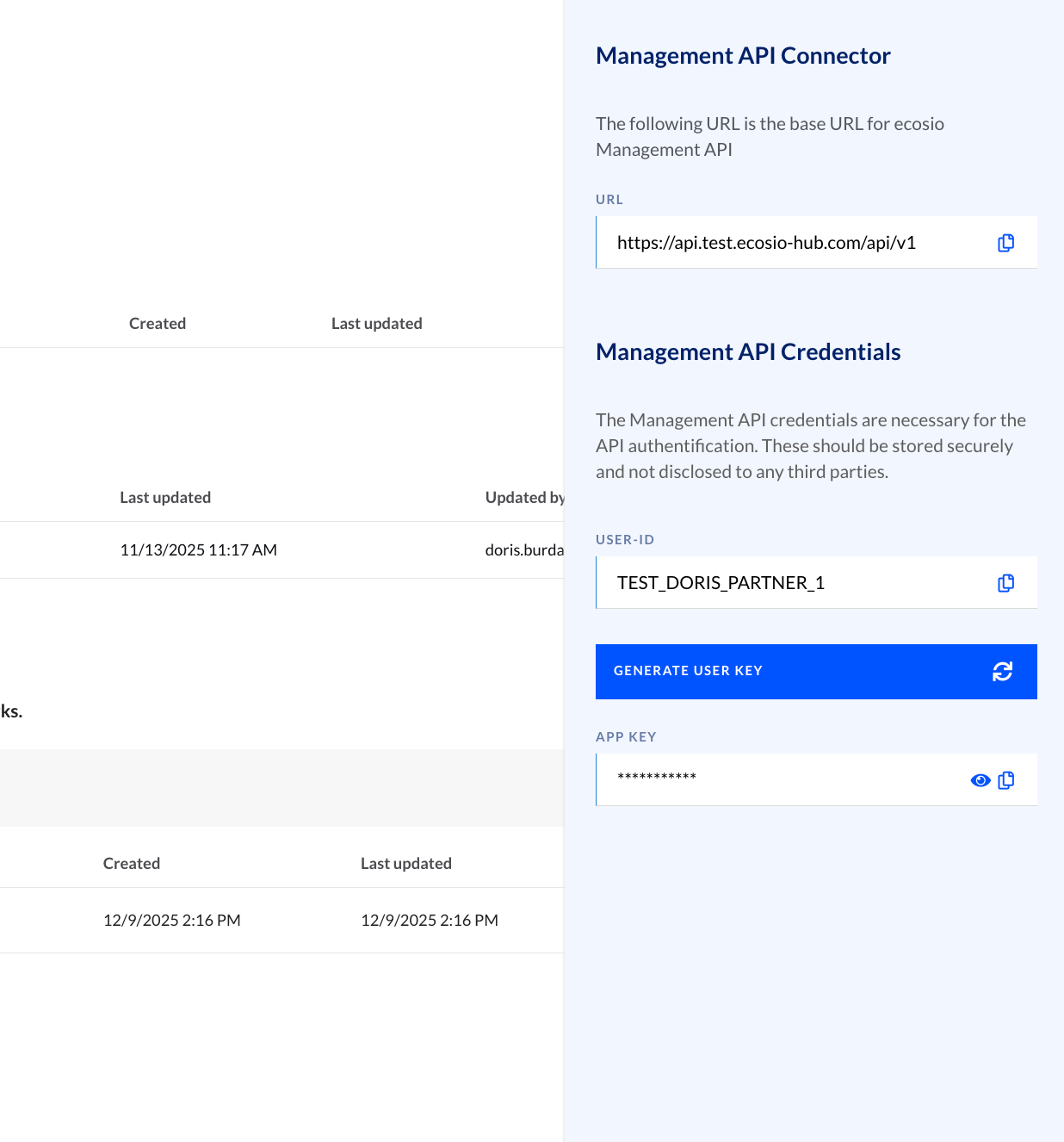
A self-service connector for the Management API reduces operational overhead by enabling faster credential handling in Monitor, including user key regeneration and easy access to key identifiers (URL, user ID, app key).

  • Faster key regeneration without waiting on support

  • Clearer ownership for partners managing their own integrations

  • Better day-to-day security hygiene through simpler key rotation


Technical notes

  • Support tickets and manual message upload require enablement and permissions, so availability may vary by company and user

  • News and releases badge shows unread items since the last visit, capped at 99+

  • Manual message upload currently supports one file per upload, up to 50 MB, with allow-listed formats only

The ecosio Product team

Earlier updates