Product Updates

Follow new updates and improvements to ecosio.

Management API Changelog v1.4.0
Release summary

This release adds e-invoicing scenarios for France and the United Kingdom. It also introduces OAuth2 authentication as the recommended authentication method for Management API integrations.


🌍 New country scenarios

Partners can now activate two additional country scenarios through the Management API:

  • 🇫🇷 France

  • 🇬🇧 United Kingdom

These scenarios provide the country-specific configuration required for customer onboarding and reduce manual setup.

Endpoint

POST /api/v1/management/companies/{companyUuid}/scenarios

🇫🇷 France example

{ 
"name": "FRANCE_EINVOICE", 
"peppolParticipantIds": ["9957:FRxxxxxxxxx"], 
"emailAddressesForValidationErrors": ["user@company.com"], 
"siret": "xxxxxxxxxxxxxx", 
"siren": "xxxxxxxxx", 
"paAuthorisationContract": true, 
"direction": "BOTH", 
"selfBilling": false 
} 

🇬🇧 United Kingdom example

{ 
"name": "UNITED_KINGDOM_EINVOICE", 
"peppolParticipantIds": ["9932:GBXXXXXXXXX"], 
"emailAddressesForValidationErrors": ["user@company.com"], 
"direction": "BOTH" 
} 

🔐 OAuth2 authentication

The Management API now supports the OAuth2 client credentials flow. OAuth2 is the recommended authentication method for new integrations.

The required credentials are:

  • Client ID

  • Client Secret

  • App key, which remains unchanged and is still required with OAuth2

Authentication options in Monitor

Monitor now provides both authentication methods for Management API connectors:

  • Basic Authentication, which still requires IP whitelisting

  • OAuth2 client credentials, which does not require IP whitelisting

The OAuth2 credentials are available below the connector information in Monitor. Select the option to generate your new Client ID and Client Secret. Copy the Client Secret when it is generated and store it in an approved credential manager, as it is hidden afterwards.


⚠️Migration period

Both authentication methods are currently available. Basic Authentication is marked for deprecation, but no removal date has been announced. Existing integrations can continue to use Basic Authentication during the migration period. OAuth2 is recommended because it removes the need for IP whitelisting.


✅ Recommended action

  • Use OAuth2 for new integrations

  • Plan the migration of existing integrations from Basic Authentication to OAuth2

  • Keep the existing app key in every request

🔭 Next up

We are preparing additional country features for:

  • 🇸🇰 Slovakia

  • 🇭🇷 Croatia

  • 🇦🇪 United Arab Emirates (UAE)

  • 🇩🇪 Germany e-mail scenario

The ecosio Product team

Investigate, reconcile and bill faster: latest Monitor updates

Monitor just got four upgrades that make self-service investigation, reconciliation and billing quicker and more precise. You can now follow how messages connect, break Statistics down by identifier, and filter both Statistics and the Message Overview to an exact time.

Why this matters

High message volumes, multi-entity billing and time-critical support all create the same problem: the answer is somewhere in Monitor, but it takes too long to reach. Reconciling billing by subsidiary often meant exporting to Excel, and tracing one message could mean scrolling through a whole day of traffic. These four updates put the connections, identifiers and exact time windows you need right where you're already working.

What's new

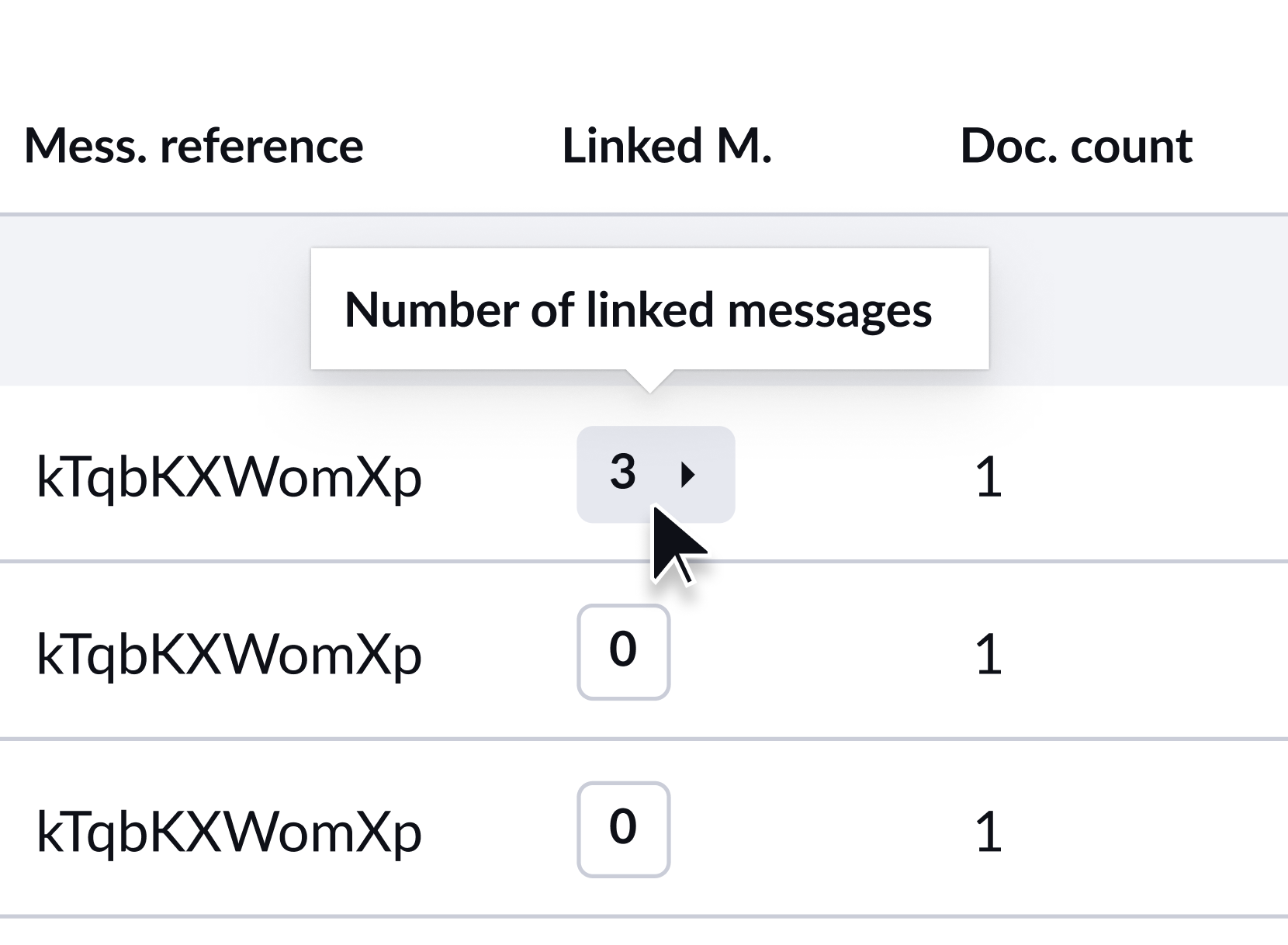
Follow the full story of a message - Linked messages on the Message Overview

Tracing how a message related to others, its duplications, splits, merges, partner switches, used to mean manual searching with no way to see or jump between the links. Now the Message Overview surfaces those connections for you, so an investigation that once spanned several screens happens in a couple of clicks. This one came straight from customer requests.

  • Spot connected messages instantly with a linked-messages count, shown up to 99+

  • Jump straight to the message you need, previewing up to five references on hover or opening the full list

  • Trust what you're looking at, with each reference tied to the ecosio Message ID and a tooltip to explain it

Break billing down by your own identifier - GLN and identifier filter on Statistics

Multi-entity customers could only split billing data by partner, not by their own identifiers, so reconciling by subsidiary usually ended up in Excel. Now you can filter Statistics by a single identifier such as GLN, Peppol participant ID or customer number, so your billing view lines up with how your business is actually structured. It's one of our most-requested Statistics improvements.

  • Reconcile by subsidiary, not just by partner, filtering by one identifier per query

  • Find the right identifier fast with free text or the alias dropdown, plus a tooltip showing what's searchable

  • Hand over clean numbers, with filtered report downloads matching your selection

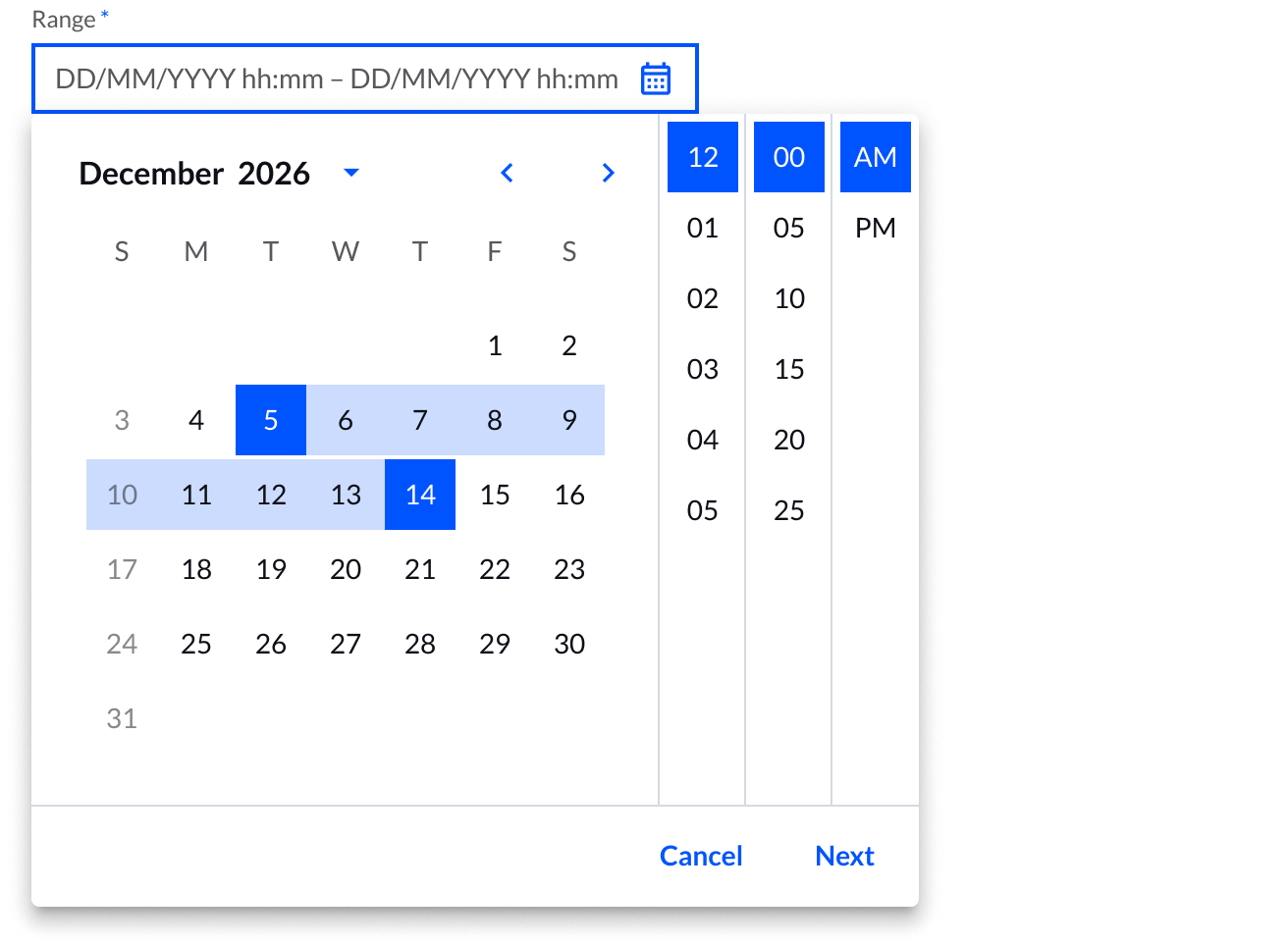
Validate billable volumes to the exact hour - Date and time picker on Statistics billable messages

Statistics could only be filtered by preset ranges like this week, so checking billable volumes around a specific event, such as a go-live or a sudden spike, wasn't possible. Now you can narrow billable message statistics to an exact date and hour range and carry that straight into your export, so the numbers are easy to validate and defend.

  • Check volumes around a specific event by picking an exact date and hour range

  • Match the source data, with filtering by full hours in line with how billable data is stored

  • Back up the figures, with your selection included in the CSV export

Pinpoint the exact time - Time picker on the Message Overview

Filtering the Message Overview by date alone meant paging through everything that happened that day to find a single message. Now you can filter to an exact time, down to the minute, so a time-critical investigation takes seconds instead of a scroll through hours of traffic. This came straight from your feedback.

  • Find the exact moment an issue happened, setting start and end times down to the minute

  • Cut investigation time from a full-day scroll to a few seconds

  • Keep the detail, with your selection included in CSV downloads

Technical notes

  • Some features depend on customer configuration, permissions or rollout status, so availability may vary by company and user

  • Linked messages show a count up to 99+, with up to five references on hover and the full list in the modal

  • The Statistics identifier filter works one identifier at a time

  • The Statistics date and time picker works by full hours, while the Message Overview time picker goes down to the minute

  • Linked message references use the internal ecosio Message ID, not your own message reference

Take a look in Monitor and tell us what you think🔥

The ecosio Product team

China connector: set up, manage and verify in Monitor

China e-invoicing comes with country-specific steps that can slow teams down, and authentication is the first of them. Until your China connector is authenticated, it can't send or receive invoices. That step is now yours to complete in Monitor, whenever you are ready. We keep the connection to the tax authority running. You decide when to switch it on.

  • Activate your China connector yourself. A guided flow from start to finish, at your own pace.

  • Download the official OFD invoice. The cleared invoice exactly as the tax authority issued it, straight from the e-invoicing toolbox.

Activate your connector in one guided flow

It all happens on one screen. Enter your account details, request an SMS code to your registered phone number, enter the SMS code and then scan the QR code to complete facial recognition in the State Taxation Administration app. Confirm in Monitor, and your connector is active.

Click through the flow before you start:

The verification codes are time-limited, so if one runs out, or you step away before you're finished, you can start the flow again as often as you need.

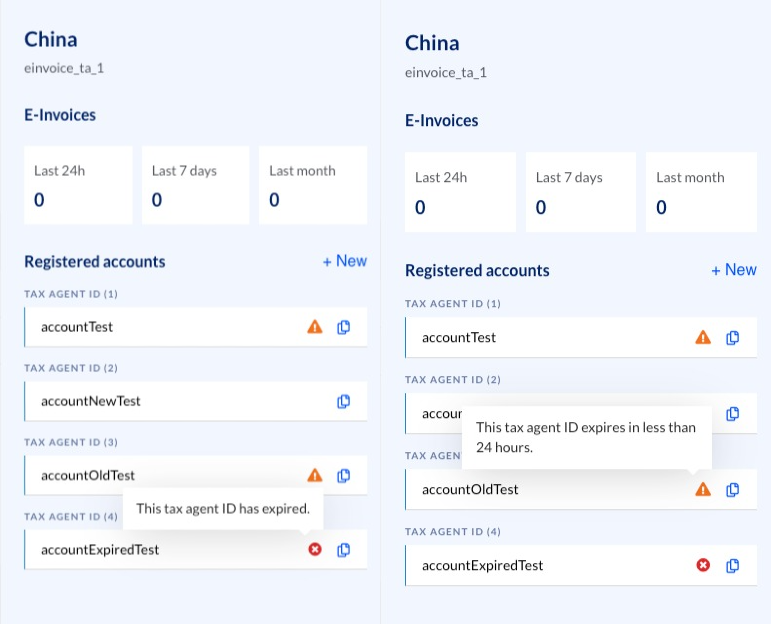
Stay ahead of expiring Tax Agent IDs

Your Tax Agent IDs tell the tax authority which agent is authorised to invoice on your behalf, and they don't last forever. When one expires, sending and receiving stops for that Tax Agent.

So Monitor keeps them in plain sight. Add as many Tax Agent IDs as your connector needs, see them all in the connector details, and get a warning as an expiry date approaches, while there's still time to act. The first ID you verify is what brings your connector to life.

Download the invoice the tax authority cleared

Whenever you need to prove an invoice really cleared, whether for an audit, a customer query or your own records, the proof is already in Monitor. Once an invoice reaches a cleared state, you can download the official OFD file straight from the e-invoicing toolbox, exactly as the tax authority issued it, carrying the invoice identifier, QR code and digital signature that prove it cleared.

OFD is China's official fixed layout format, the human-readable rendering of a cleared e-fapiao. It's similar in purpose to a PDF, but OFD is the format the Chinese ecosystem expects.


You activate your connector and manage your Tax Agent IDs, so you can be live in China sooner and stay live without interruptions. We keep the connection to the tax authority running and the rules behind it up to date, so the parts you handle stay simple.✨

Want to know more about self-service connectors, or have activation switched on for your Monitor? Get in touch with our team and we'll take it from there.

The ecosio Product team

Earlier updates