Clearer exception details and France e-invoicing improvements in Monitor

When a message fails, you need to know why, and you need to know quickly. Until now, the reason was only on the message details page, so finding the exceptions that need action meant opening messages one by one. Monitor now shows it where you start your work: the message overview. For France e-invoicing, we've also made business states easier to read and given you direct access to your directory API credentials.
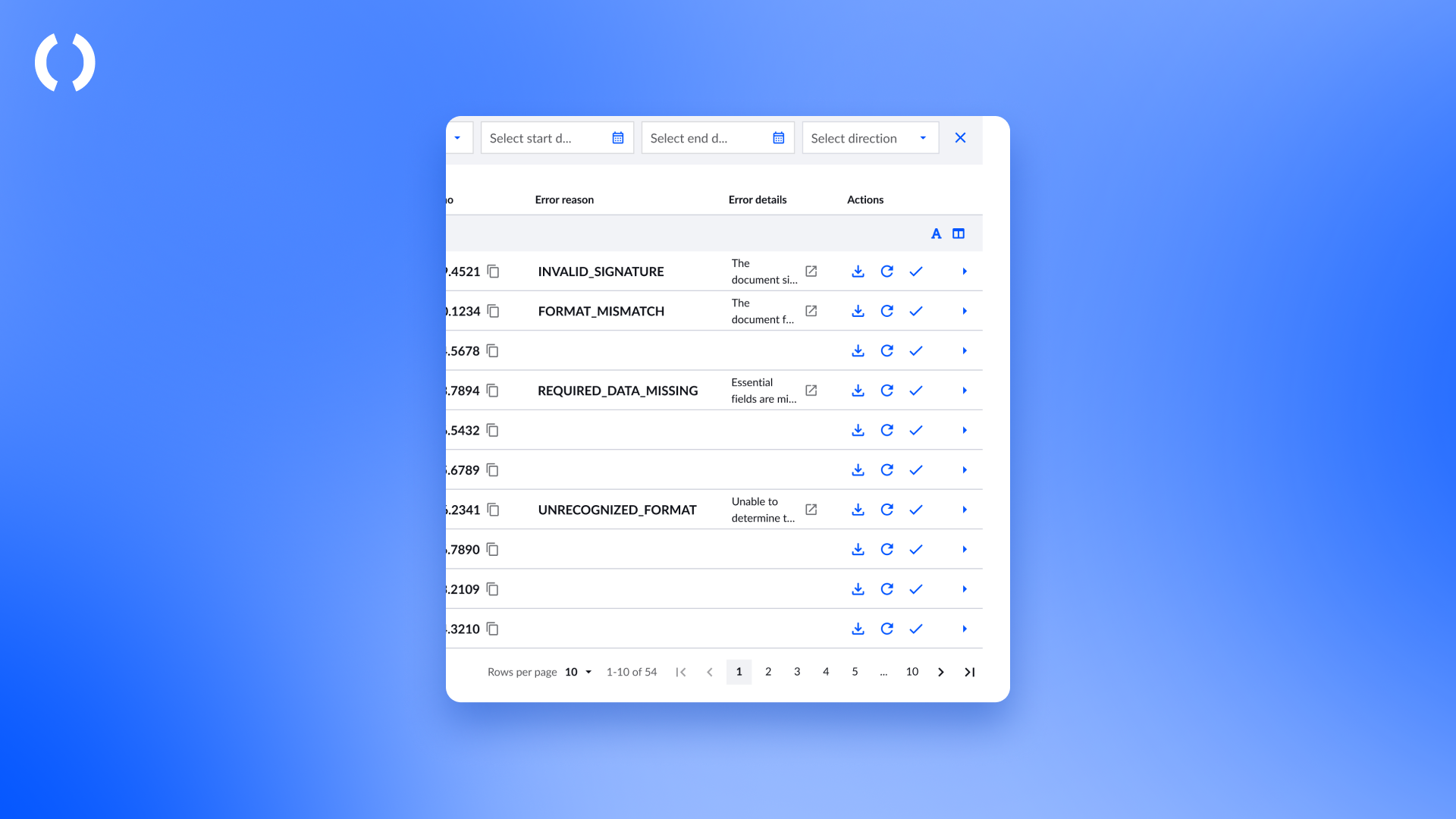
See why a message failed, straight from the overview. Error category and error details in the table and in your CSV export
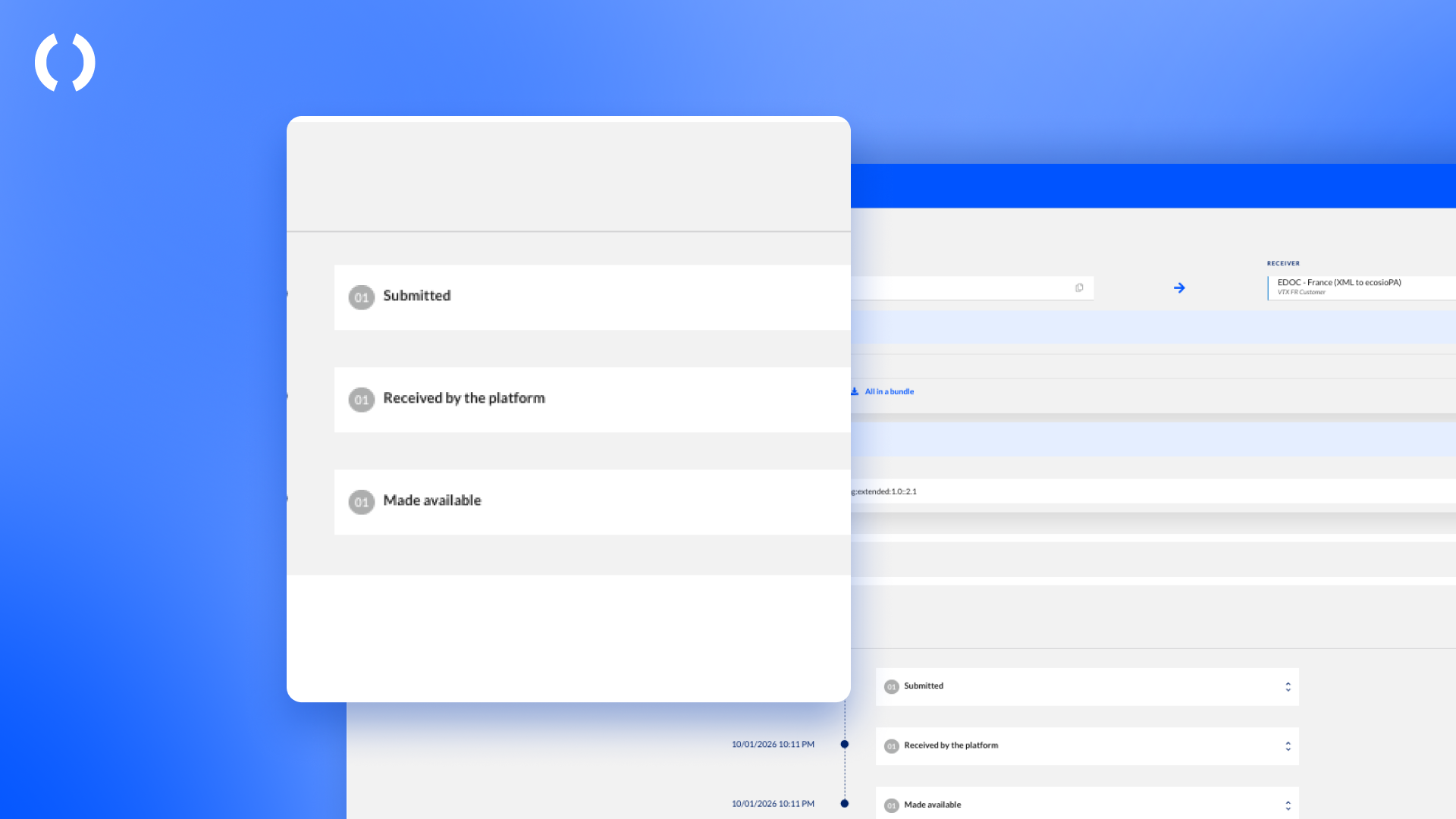
Follow France business states in lifecycle order. The same clear order on every invoice
Connect your ERP to the France directory. Your API credentials, ready in the Connectors tab
Spot the exceptions that need action
The message overview now has two new columns: error category and error details. The category, for example VALIDATION_FAILED, tells you what kind of problem it is. The details tell you what went wrong. When the error text is long, open it in full and go straight to the message details from there. If you don't need the columns, hide them in your table settings.
Both fields are also in the CSV export, so you can analyse exceptions in your own tools or share them with our support team.
Read France business states in the right order
France e-invoicing creates several business states for each invoice, and they don't always arrive in order. Monitor now always shows Submitted, Received by the platform and Made available first, in lifecycle order, followed by all other business states by time. Inbound invoices have no Submitted state, so their list starts with Received by the platform.
The latest business state you see in the message list and in the action box is the last one in this order. The same order applies everywhere, so what you see in the overview matches the history.
Look up company and tax details in France from your ERP
The official France directory has no direct API, and checking company details on the government website one by one takes too long when you have many companies to check. Our France directory API lets your ERP or business application look up company and tax details automatically, using the SIREN number.
In Monitor, open the Connectors tab to find the France directory connector. It shows the API connection details and the OAuth 2.0 credentials you need to authenticate. Generate or regenerate your credentials whenever you need to. The full values are only shown right after you generate them, so store them securely.
In every country, you now see what needs your attention and can act on exceptions sooner. If you use France e-invoicing, you also follow your invoices in a clear order and automate company checks from your own systems.
Get in touch with our team if you have questions or need help.
The ecosio Product team